
You want to maintain your website yourself.
New copy, swap a photo, post a job ad, without asking someone every time. That takes a content management system, and one that does not get in your way. I build so that you can really do it yourself afterwards. Which system is behind it, we settle later, and there are exactly two I work with.
What you can count on
You can do it yourself
You change text, images, posts and dates in the normal editor. I show you how in a good hour, on your real site. After that you call me because you want to, not because you have to.
Lean instead of bloated
No page builder that loads half a megabyte so a heading can sit in the centre. I stay close to what the system can do itself. Whoever wants to change a heading in five years finds a heading.
Accessible under the BFSG
I have developed websites together with blind and visually impaired people. Most problems are not in the contrast but in the order. Since 2025 it has been mandatory for many companies anyway.
What maintaining it yourself really means
A recruitment consultant I built for publishes job ads several times a month. Tasks, profile and benefits are real lists, industry and location she enters once at the top, the overview sorts itself. What used to trigger queries, she now does in a few minutes. That is how it should be.
Content management systems should stay up to date. That is the other side, and I say it beforehand: updates, a backup that actually runs, every now and then a look at whether everything still fits. You can do that yourself or leave it to me. Some of my clients have been with me for more than ten years, and most of them chose to leave it to me.
And if your site consists of five subpages that change twice a year, I will tell you that too: then a system is too much of a good thing. For that I would rather build by hand.
What I take on
New website with a content management system
Structure, design, technology and, if you like, the copy. At the end there is a site you can work with without asking me.
Tidying up and securing
Twenty-six plugins, nine of them without an update for years, backup dead since March. That is what many sites I take over look like. I put that in order before someone else exploits it.
Support afterwards
Updates, security, new content and the small ideas in between. I prefer that to one big project a year with changing faces.
These are the two variants – and a third
WordPress
If you want to maintain it yourself.
- Change posts, job ads and dates yourself
- Lean with GeneratePress, no page builder
- Updates needed, but plenty of room
Joomla!
When it gets big.
- Multilingual out of the box
- Many editors, fine-grained permissions
- Development with Benjamin from the core team
HTML, hand-built
If it should stay simple.
- No system, no login, no updates
- Usually no cookie banner needed
- Very fast, hardly attackable
Accessibility is not an extra you book with me. Each of the three paths is built to WCAG and the BFSG – which is why it is not an option in the table below, but a given.
| WordPress | Joomla! | HTML | |
|---|---|---|---|
| Size of the site | small to large | large | small to medium |
| Maintain yourself | yes | yes | no |
| Multilingual | with plugin | built in | possible |
| Many editors | good | very good | no |
| Updates needed | yes | yes | no |
| Cookie banner | usually | usually | no |
| Attack surface | medium | medium | very small |
| Design freedom | large | large | complete |
| Future-proof | with updates | with updates | yes |
| Load time | good | good | very fast |
| Extendable (shop, booking) | yes, via plugin | yes | limited |
| Time to launch | weeks | weeks to months | days to weeks |
| Running costs | hosting, licences, updates | hosting, updates | hosting only |
| Accessible under the BFSG | yes | yes | yes |
In short: if you want to maintain it yourself, take WordPress. If it gets large and multilingual, Joomla!. If it should be simple, fast and maintenance-free, we build it by hand. Which path suits you, we clarify in the first conversation – and I will tell you too if you need less than you thought.
Frequently asked questions about maintaining it yourself
Do I have to take care of updates?
Not if you do not want to. Updates, backup and security I take over in the support arrangement if you like. You look after the content, I look after the foundation. Whoever wants to do it themselves gets shown how.
How do I learn to maintain the site?
In a good hour, on screen, with your real site. Afterwards you write down the three things you do regularly. Usually it takes no more than that, and for the rest I am reachable.
What if I break something?
That is what the backup is for, the one that actually runs. I check that before you write your first post. And the site is built so that in the editor you only get to the content, not to the technology.
WordPress or Joomla!, who decides that?
We do, in the first conversation, and usually it is clear quickly. A company site with a blog and job ads: WordPress. Many languages, many roles, content grown over years: Joomla!. The table further up shows the differences.
What does a website I maintain myself cost on an ongoing basis?
Hosting, depending on the system a few licences, and if you like the support arrangement. Everything is in the quote, nothing turns up only after launch.
What if I chose a content management system but then do not want to maintain it myself after all?
Then we take it over, gladly. You write to me what should change, the rest runs: content, updates, backups. With WordPress I do that myself, with Joomla! Benjamin looks after the technology and I after content and design. Many of my clients start out intending to do everything themselves and end up exactly here after six months. That is not failure, that is division of labour. You can decide that at any time, long after launch too.
Matching projects
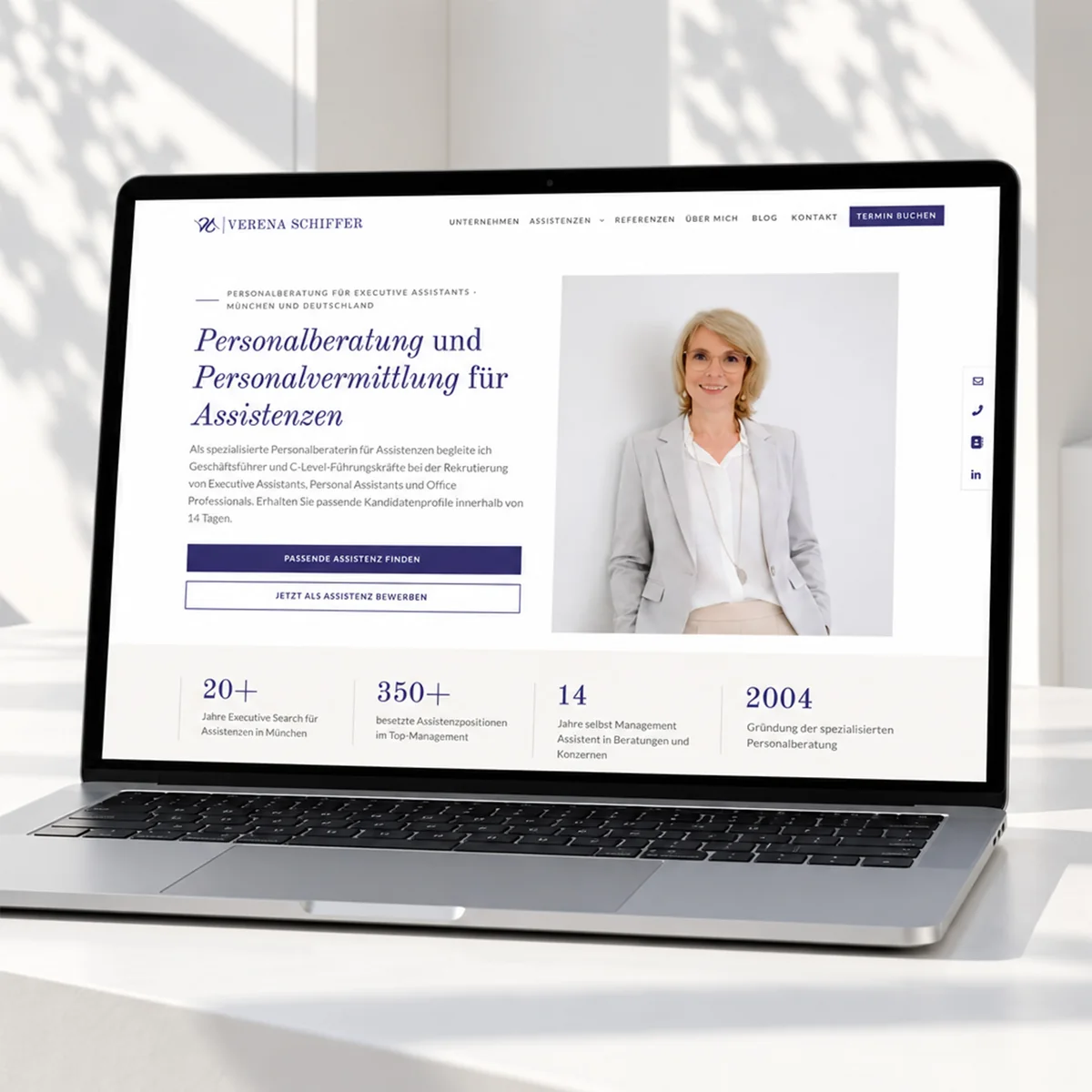 Redesign & logoVerena SchifferShe maintains the job ads herself, several times a month. The rankings stayed where they were.To the project →
 WordPressTU MunichBilingual, with blog and ideas portal, built in two and a half months. The team maintains the content itself.To the project →
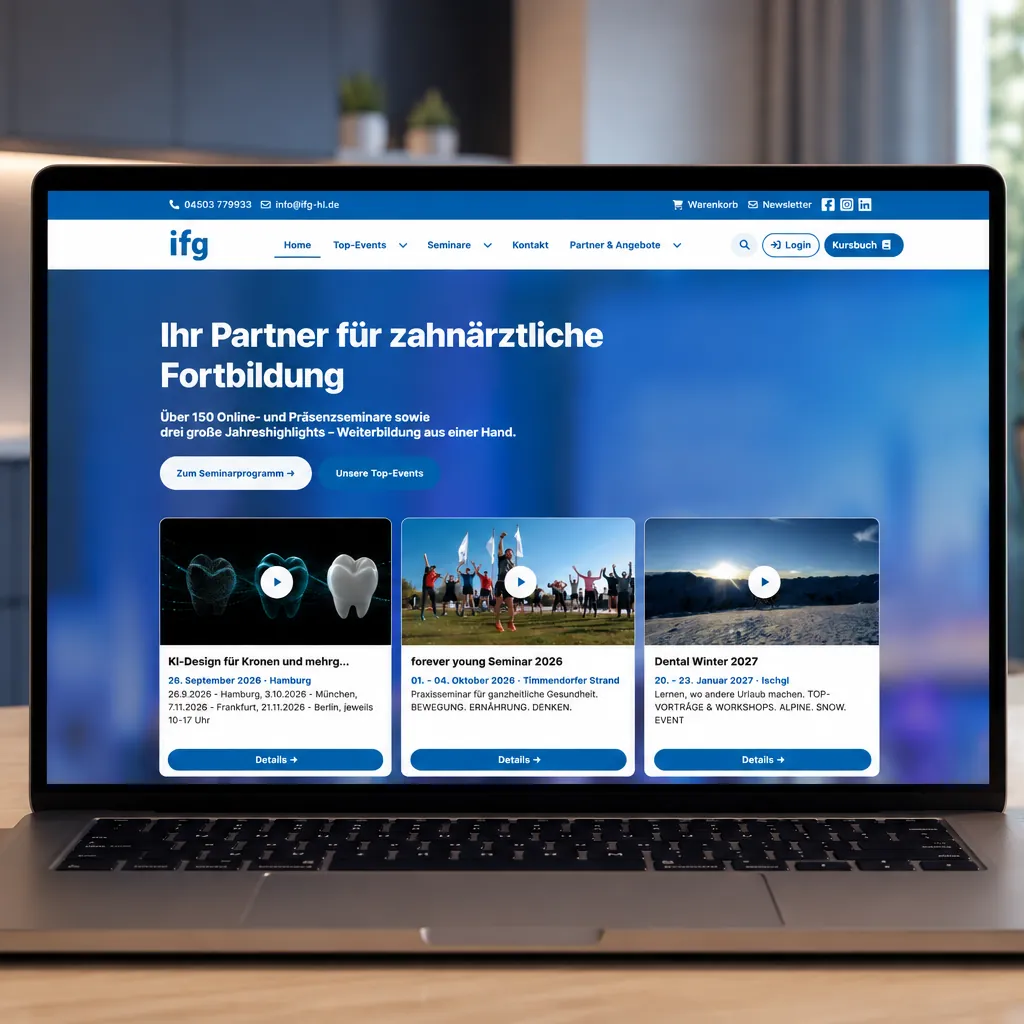 Joomla!IFG trainingOver fifty websites became one platform with course catalogue and booking.To the project →
Tell me what you want to maintain yourself.
Preferably in a short video call. Afterwards you know which system suits you, and I will tell you too if you need less than you thought.